-1.png?width=200&height=51&name=LM_NuBlu_Horiz_Hi%20(1)-1.png)
I. Overview of FaaS Core Concepts
Fleet as a Service (FaaS) is a key feature designed to build an integrated ecosystem within Launch Mobility. It allows independent organizations to partner and engage directly with fleet owners, supporting the operational needs of both Service Owners and 3rd Party Fleet Owners based on three core concepts:
| Concept | Description |
| Connecting Orgs | Establishing a formal, system-recognized partnership between two organizations. |
| Fleet Sharing | The Fleet Owner (FO) makes their vehicle inventory available for the Service Owner (SO) to use. |
| Org-to-Org Invoicing & Payments | Managing transactions, usage fees, and payments between the FO and the SO. |
Key Roles Defined
-
SO (Service Owner): The organization that uses the shared fleet to provide the service directly to the end-user (driver).
-
FO (Fleet Owner): The 3rd Party organization that gives access to its vehicle inventory for the Service Owner (SO) to utilize.
| Step | Core Concept | Purpose & Function |
|
1 |
Connecting Orgs | To achieve the benefits of FaaS, the organization must formally connect fleets with third-party organizations within Launch Mobility. This step enables the ability to: 1. Invite partner organizations. 2. Have partners created within Launch Mobility. 3. Track and update the status of those partners in Mission Control. |
|
2 |
Fleet Sharing | Once a partnership is created between the Fleet Owner (FO) and a Service Owner (SO) within Launch Mobility, FaaS gives the FO the ability to share their vehicles with SOs. |
|
3 |
Org-to-Org Invoicing & Payments | To support vehicle sharing transactions, FaaS offers the ability for FOs to invoice the organization for their fleet usage on an ad hoc basis. If the organization and FOs connect Stripe accounts, they can also send payments from Launch Mobility. |
Solution: Why FaaS Matters
FaaS creates an integrated ecosystem that provides significant mutual benefits:
-
For the Service Owner (SO): Allows the SO to expand operation quickly by leveraging vehicles from third-party partners without large capital investment.
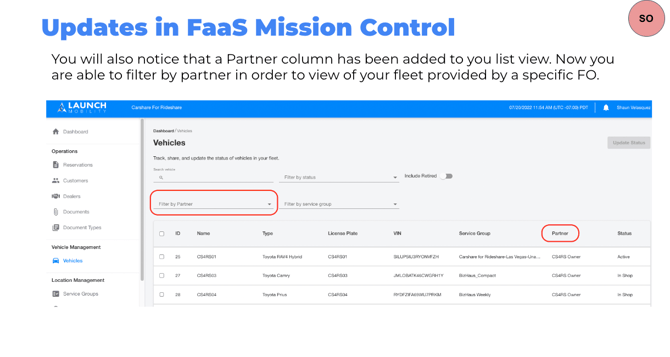
-
For the Fleet Owner (FO): Enables fleets to participate readily in mobility services and easily make inventory available on multiple organizational platforms while maintaining complete fleet management control.
II. Step-by-Step Guide to Establishing the Partnership (Connecting Orgs)
This process formally establishes the partnership between the Service Owner and the Fleet Owner.
A. Service Owner (SO) Actions
-
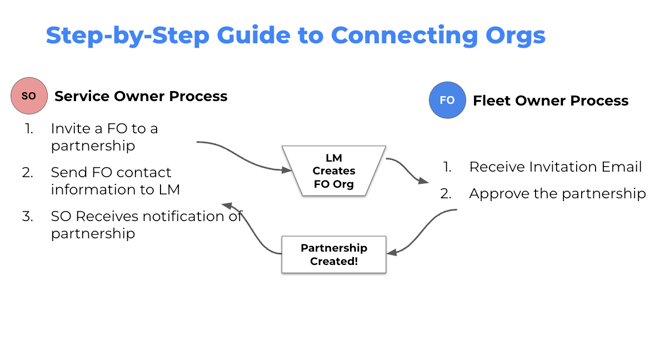
Initiate Invitation: Invite a Fleet Owner (FO) to form a partnership.
-
Contact Submission: Send the FO's contact information to the Launch Mobility (LM) team.
-
Confirmation: Receive system notification once the partnership has been successfully created.
B. Fleet Owner (FO) Actions
-
Receive Invitation: The FO receives the formal invitation email.
-
Approve Partnership: Review and approve the partnership agreement within the system.
III. Step-by-Step Guide to Fleet Sharing
Once the partnership is established, the Fleet Owner can make specific vehicles available to the Service Owner.
A. Fleet Owner (FO) Actions (Setting up Inventory)
-
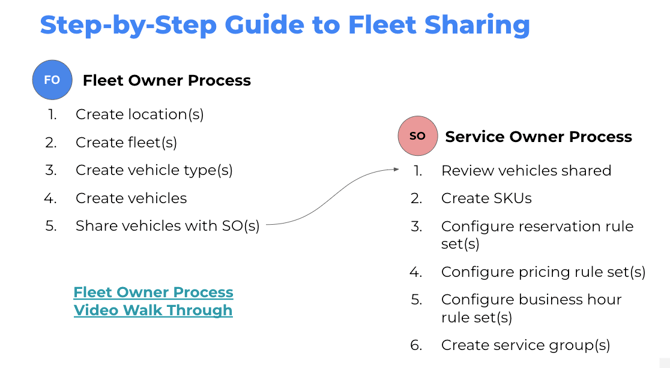
Create Locations: Define the vehicle’s operating location(s).
-
Create Fleets: Establish the organizational fleet group(s).
-
Create Vehicle Types: Define the vehicle models available for sharing.
-
Create Vehicles: Add specific vehicle assets to the inventory.
-
Share Vehicles: Select and share the specific vehicle assets with the Service Owner(s).
B. Service Owner (SO) Actions (Preparing to Use Shared Fleet)
-
Review Inventory: Review the vehicles shared by the FO.
-
Create SKUs: Create Stock Keeping Units (SKUs) to categorize the shared vehicles.
-
Configure Rule Sets: Set up the necessary operational parameters:
-
Configure reservation rule set(s).
-
Configure pricing rule set(s).
-
Configure business hour rule set(s).
-
-
Create Service Groups: Create service group(s) to manage the shared fleet inventory.
IV. Step-by-Step Guide to Invoicing & Payments
This process supports financial transactions for vehicle usage between the partner organizations.
A. Fleet Owner (FO) Actions (Invoicing)
-
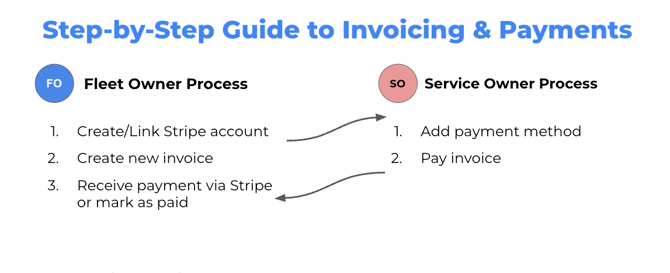
Setup Payment Gateway: Create/Link a Stripe account to receive payments.
-
Generate Invoice: Create a new invoice based on vehicle usage.
-
Receive Payment: Receive payment via Stripe, or manually mark the invoice as paid if paid outside the platform.
B. Service Owner (SO) Actions (Payment)
-
Setup Payment Method: Add a payment method to the system.
-
Pay Invoice: Review and pay the invoice generated by the FO.